
Video content dominates the internet today. From YouTube tutorials to TikTok reels, video is everywhere. If you are just starting, choosing the right tool can feel overwhelming. That is why this guide on Recommended Video Editing Software for Beginners will help you make a confident decision.
As someone who has worked with beginner editors and content creators, I know how important simplicity is. Beginners need software that is easy to use, affordable, and powerful enough to grow with their skills. In this article, you will find carefully selected tools, practical advice, and expert insights to help you get started.
Why Choosing the Recommended Video Editing Software for Beginners Matters
Starting with the right tool saves time and frustration. Many beginners quit because they choose complex software too early. Therefore, understanding your needs is the first step.
Ease of Use
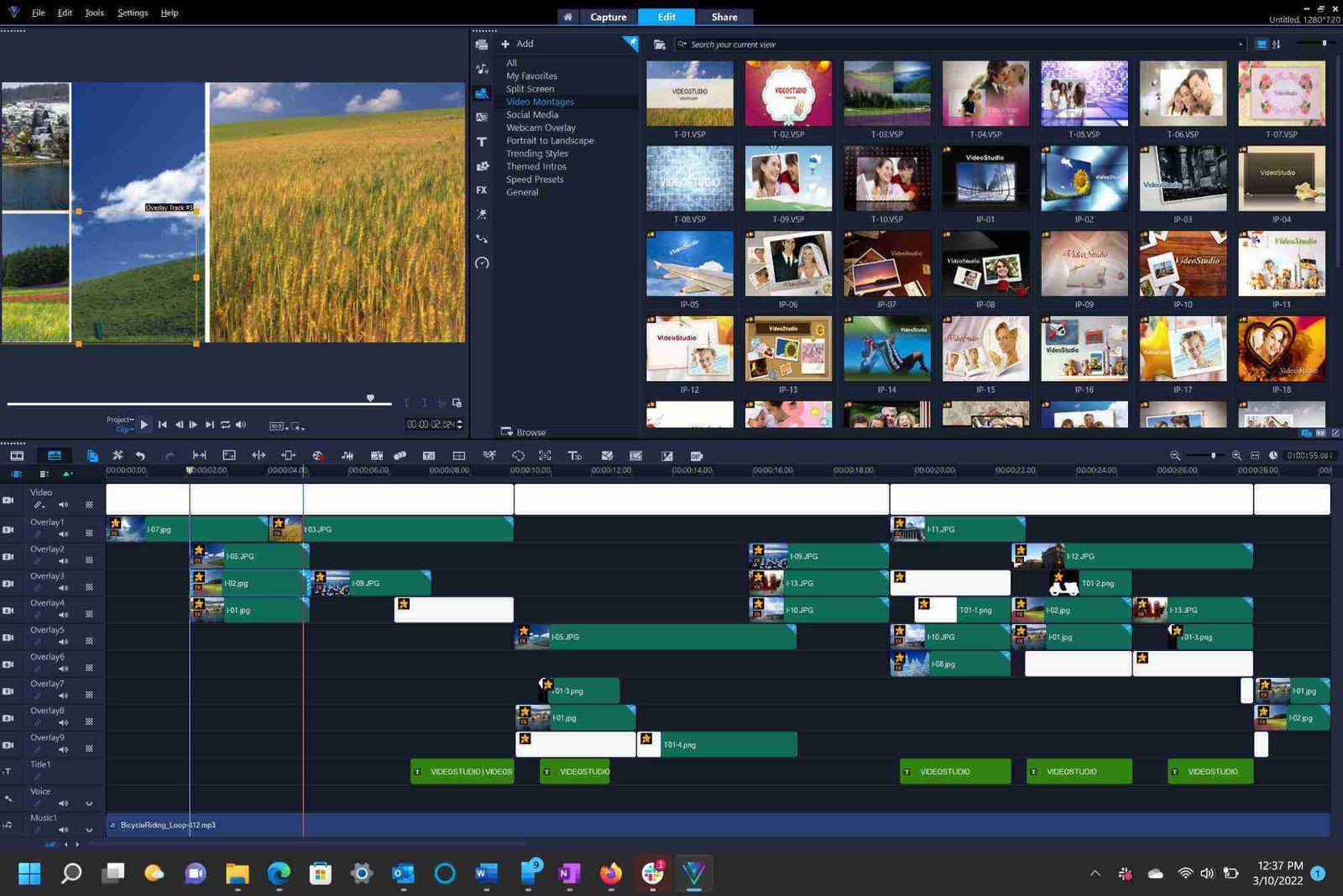
Beginner-friendly software should have a clean interface. Drag-and-drop features are essential. Clear timelines and preview windows also make editing smoother.
Affordable Pricing
Most beginners do not want to invest heavily. Free or low-cost software is often the best starting point. However, make sure the free version does not limit essential features.
Essential Editing Features
Even beginner software should include:
- Cutting and trimming tools
- Transitions and basic effects
- Text and title options
- Audio editing controls
- Export options for social media
When software offers these features in a simple layout, it becomes truly beginner-friendly.
Recommended Video Editing Software for Beginners in 2026
Below are some of the most reliable tools available today. Each option balances simplicity and performance.
CapCut – Best for Social Media Creators
CapCut has quickly become a favorite among beginners. It is especially useful for short-form content.
Why CapCut Is Beginner-Friendly
CapCut offers ready-made templates. You can edit TikTok, Instagram, and YouTube Shorts easily. The interface is clean and modern.
Key Features
- Auto captions
- Built-in music library
- One-click transitions
- Mobile and desktop versions
For beginners focusing on social media, this is often the top Recommended Video Editing Software for Beginners.
For official details, you can explore the developer’s website directly.
iMovie – Best for Mac Users
If you own a Mac, iMovie is a strong starting point.
What Makes iMovie Ideal for Beginners
It comes pre-installed on Apple devices. The layout is intuitive and polished. Drag-and-drop editing feels natural.
Key Features
- Cinematic mode support
- Simple color correction
- Built-in trailers
- Smooth integration with Apple ecosystem
Many new YouTubers start with iMovie before upgrading to Final Cut Pro.
Filmora – Best Balance of Simplicity and Power
Filmora is widely recognized as Recommended Video Editing Software for Beginners.
Why Filmora Stands Out
It combines beginner-friendly tools with advanced effects. The learning curve is gentle.
Key Features
- Built-in effects library
- Motion tracking
- Split-screen options
- Audio equalizer
Filmora is ideal for those who want to grow into more advanced editing later.
DaVinci Resolve – Best Free Professional Tool
DaVinci Resolve may look complex at first. However, beginners can start with basic tools and expand gradually.
Why Beginners Can Still Use It
The free version is powerful. You get professional-level color grading without paying.
Key Features
- Advanced color correction
- Multi-track timeline
- High-quality export options
- Regular updates
Although slightly advanced, it remains a strong Recommended Video Editing Software for Beginners who want long-term growth.
Adobe Premiere Elements – Simplified Adobe Experience
Adobe Premiere Elements is designed for beginners.
What Makes It Different
It offers guided edits. The software walks you through steps. This helps users learn editing fundamentals.
Key Features
- AI-powered tools
- Smart trimming
- Automatic video creation
- Organized media library
If you plan to move to Adobe Premiere Pro later, this is a smart stepping stone.
How to Choose the Recommended Video Editing Software for Beginners
Not every tool fits every user. Consider these factors before deciding.
Your Device and System
Some software runs better on high-end computers. Others work well on basic laptops. Always check system requirements first.
Your Editing Goals
Are you editing YouTube videos? Social media reels? School projects? Choose software based on your primary purpose.
Learning Resources
Look for tools with strong tutorials. YouTube guides and community forums make learning easier. Websites like TechRadar and PCMag often review editing software in detail.
Key Features to Look for in Recommended Video Editing Software for Beginners
Before installing anything, review these features carefully.
Simple Timeline Management
A clear timeline helps you arrange clips easily. Beginners often struggle with complex multi-layer timelines.
Built-In Templates
Templates speed up editing. They also help you understand structure.
Audio Control Tools
Good sound is as important as good visuals. Make sure the software allows easy volume adjustments and background music control.
Export Presets
Exporting in the right format matters. Software should include presets for YouTube, Instagram, and Facebook.
Common Mistakes Beginners Make
Even with the best Recommended Video Editing Software for Beginners, mistakes happen.
Overusing Effects
Too many transitions look unprofessional. Keep it simple.
Ignoring Audio Quality
Poor sound ruins great visuals. Always check audio levels.
Exporting in Low Quality
Make sure your export settings match your platform’s requirements.
Step-by-Step Plan to Start Editing Today
If you feel overwhelmed, follow this simple plan.
Choose One Tool
Do not install five programs. Pick one Recommended Video Editing Software for Beginners and focus on it.
Learn Basic Cuts
Start with trimming and splitting clips. Master the basics first.
Add Simple Text and Music
Once comfortable, add titles and background music.
Practice Consistently
Editing improves with repetition. Try small projects weekly.
Internal Learning Path for Growth
If you already run a content blog, consider writing about video content strategies. You can connect this topic with your existing digital content guides to build authority in your niche.
Additionally, once you master beginner tools, explore advanced tutorials on storytelling and cinematic techniques. That is where true creativity begins.
indon.id adalah platform digital informatif yang menyajikan berbagai konten terkini seputar teknologi, gaya hidup, bisnis, dan informasi populer lainnya. Dengan tampilan sederhana dan mudah diakses, indon.id menjadi sumber bacaan yang relevan bagi pengguna yang ingin mendapatkan wawasan terpercaya, ringkas, dan up-to-date dalam satu tempat.
FAQs About Recommended Video Editing Software for Beginners
What is the easiest video editing software for beginners?
CapCut and iMovie are often considered the easiest. They have simple interfaces and minimal learning curves.
Is there free video editing software for beginners?
Yes, DaVinci Resolve and CapCut offer strong free versions. These tools are excellent Recommended Video Editing Software for Beginners who do not want to invest immediately.
Which video editing software is best for YouTube beginners?
Filmora, iMovie, and Premiere Elements are popular choices. They offer export presets specifically for YouTube.
Can beginners use professional video editing software?
Yes, but it may take time. Tools like DaVinci Resolve can be beginner-friendly if you start with basic features.
What computer specs do I need for beginner video editing?
At least 8GB RAM is recommended. An SSD improves performance. A decent graphics card helps with smoother playback.
Start with the Right Tool and Grow
Choosing the Recommended Video Editing Software for Beginners is the first step in your creative journey. The right tool builds confidence. It reduces frustration and speeds up learning.
Remember, editing is a skill. Software helps, but practice builds mastery. Start simple. Focus on clean cuts and good audio. Then gradually explore advanced features.
If you are serious about growing your content, take action today. Download one tool from this guide. Edit your first short video this week. The sooner you start, the faster you improve.